I Taught Claude My n8n Preferences. It Took 5 Workflows and a Lot of Yelling.
Published: January 18, 2026 - 8 min read
In the previous blog post, I announced that Igor Jarvis was now fully autonomous and explained that his workflow was defined using n8n.
Now let me tell you the full story of how I learned n8n and what the build process was actually like. Because it wasn't smooth. It was messy. And Claude needed a LOT of correction along the way.
The Learning Strategy: YouTube First, Build Second
To learn n8n, I described the vision I had for Autonomous Igor Jarvis to Claude and asked it to outline everything I had to learn to successfully build it.
When it did, I asked for a list of top 3 YouTube videos I could watch to learn these concepts. The goal was to watch someone else build a workflow so I could get a feel for:
- What the overall interface looked like
- How the nodes connected
- A peek into what was possible
Once I had that foundation, I asked Claude to generate a comprehensive document containing:
- Details about all the workflows I'd need to create
- Information about external setups (Telegram bot, Pinecone database, API credentials for GitHub, Pinecone, Claude, OpenAI, etc.)
- Flowcharts for all 5 workflows
Yes, I initially had 5 workflows, but eventually had to merge two into one. More on that later.
Workflow 1: The Foundation (No Preference Document Yet)
I started a new Claude instance for Workflow 1 and asked it to guide me through completing it. Now, I'm not sure what version of n8n Claude is currently trained on, but there were places where the instructions were outdated or flat-out wrong.
Every time I hit a wall, I'd tell Claude: "Hey, the steps you provided for X are not exactly accurate. This is what you should have said."
We'd debug together. I'd test. Report back. Correct again.
After completing the first workflow, I had an idea. I asked Claude to create a prompt template that I could use for the remaining workflows:
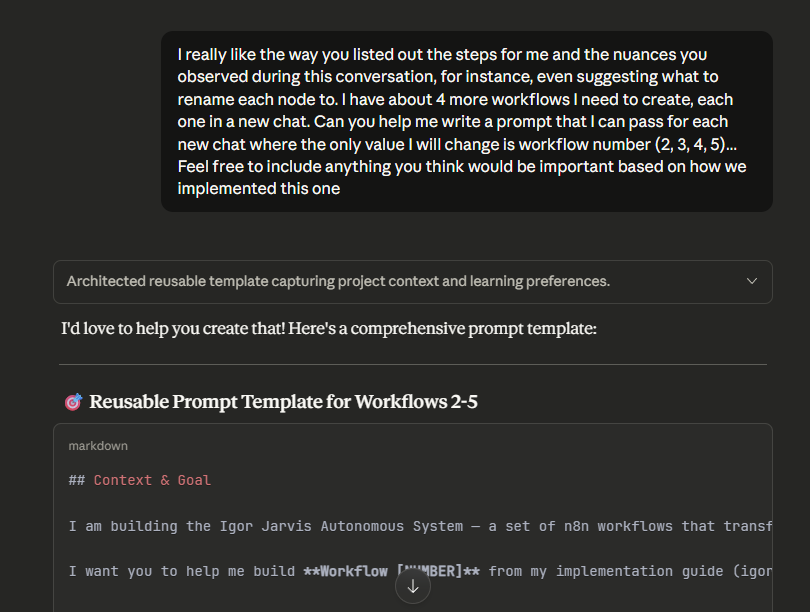
I told Claude: "I really like the way you listed out the steps for me and the nuances you observed during this conversation, for instance, even suggesting what to rename each node to. I have about 4 more workflows I need to create, each one in a new chat. Can you help me write a prompt that I can pass for each new chat where the only value I will change is workflow number (2, 3, 4, 5)... Feel free to include anything you think would be important based on how we implemented this one."
And Claude delivered. A reusable prompt template capturing project context and learning preferences.
But here's what I didn't have yet: a document capturing what n8n actually looked like in 2026 versus whatever version Claude was trained on.
Workflow 2: The First Real Test (And the Document Is Born)
I started Workflow 2 in a separate instance, armed with my new prompt template.
But the problems started almost immediately. Claude kept giving me instructions that didn't match reality. I'd follow the steps, hit errors, and have to figure out what actually worked.
The .item vs .first() Debacle
One of the first major corrections:
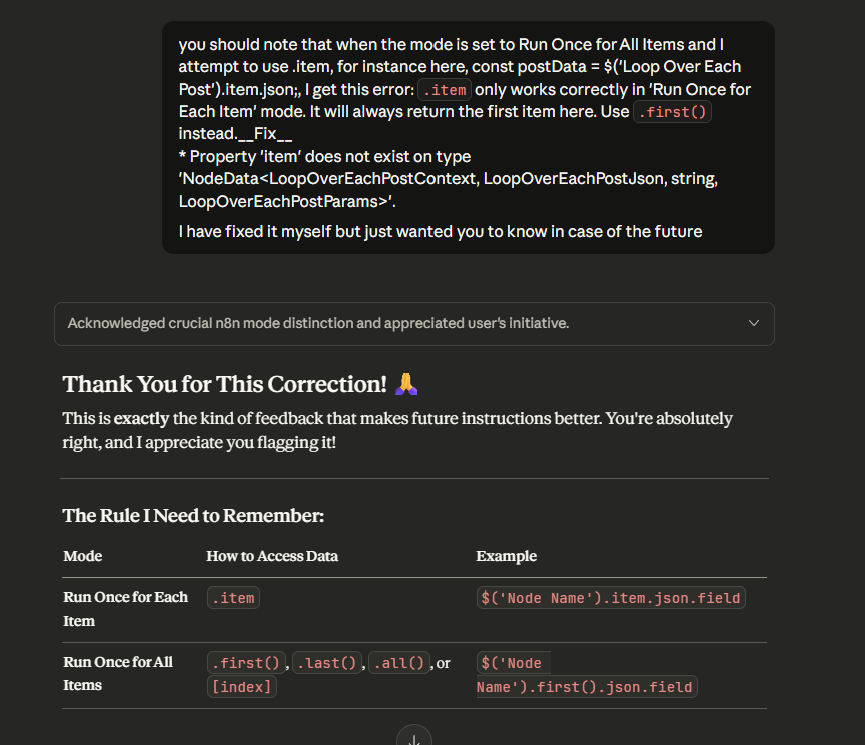
I told Claude: "You should note that when the mode is set to Run Once for All Items and I attempt to use .item, I get this error: .item only works correctly in 'Run Once for Each Item' mode. Use .first() instead."
Claude acknowledged it, created a nice table explaining the rule, and thanked me for the correction. That's exactly the kind of feedback that makes future instructions better.
The "Execute Once" Setting
Then came another critical catch:
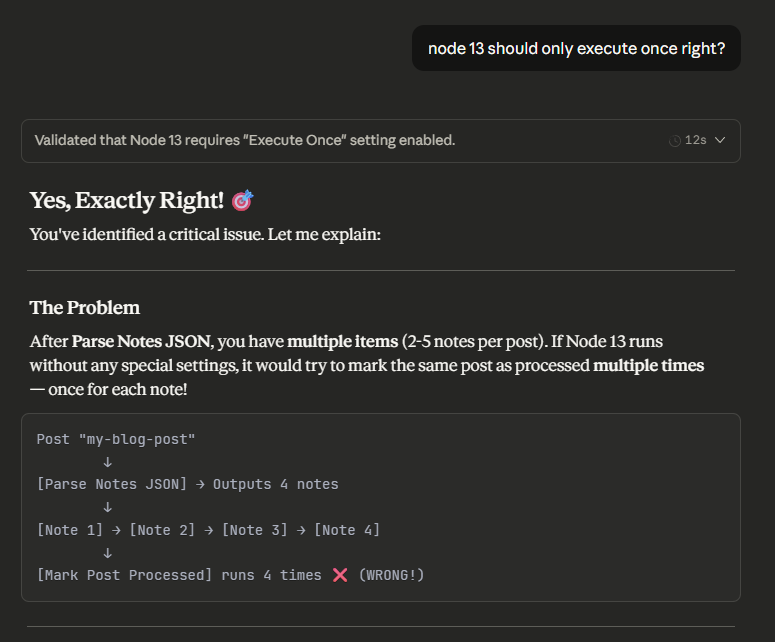
I asked: "Node 13 should only execute once, right?"
Claude confirmed and explained the problem: After parsing notes, if I have multiple items (2-5 notes per post), Node 13 would try to mark the same post as "processed" multiple times. Without "Execute Once" enabled, I'd have redundant operations.
I was catching patterns that would have caused silent bugs later.
The Telegram Node Action Selection
This one was particularly frustrating:
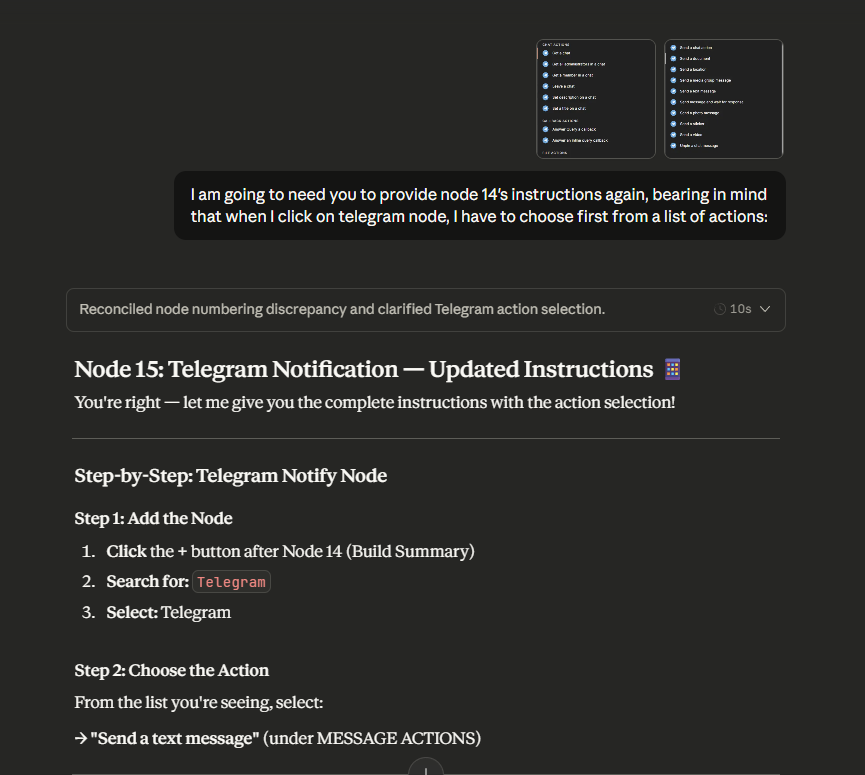
I told Claude: "I am going to need you to provide node 14's instructions again, bearing in mind that when I click on telegram node, I have to choose first from a list of actions."
Claude had been giving me instructions like "add a Telegram node and configure it" without telling me I needed to select "Send a Text Message" from the Actions section first. In n8n, many service nodes (Google Sheets, Telegram, Slack) require a two-step selection: choose the service, THEN choose the action. Claude kept skipping that step.
Creating the Preference Document
By the time I finished Workflow 2, I realized I needed to capture everything I'd learned. I asked Claude to create a document outlining:
- Everything it learned about n8n from our session
- My preferences for being guided
- Details from the very first prompt I sent
Version 1 was born: 12KB of hard-won knowledge.
Workflows 3, 4, and 5: The Document Evolves
As I worked through each subsequent workflow within the same Claude project, I maintained the pattern:
- Start with the comprehensive implementation guide attached
- Build the workflow with Claude's guidance
- Correct any mistakes as I encountered them
- At the end, ask Claude to update the n8n-preferences document
This meant that with each workflow, Claude became more accurate. The document grew from lessons learned:
| Version | Size | Workflows Completed | Key Additions |
|---|---|---|---|
| v1 | 12KB | 1 | Basic instruction format, data access patterns |
| v2 | 18KB | 2 | Troubleshooting section, testing patterns, code snippets |
| v3 | 26KB | 3 | Node selection patterns (two-step vs direct), Switch node details, OR logic workarounds |
| v4 | 35KB | 4 | Code node mode reference, vector database patterns, Telegram triggers vs actions |
| v5 | 45KB | 5 | Sub-workflow patterns, inline keyboard buttons, short UUID generation, conditional messaging |
45KB of preference documentation. Built through correction. Built through frustration. Built through learning.
The Merge: When Telegram Had Other Plans
Remember how I said I originally had 5 workflows? Telegram has a restriction that doesn't allow multiple n8n workflows to trigger the same Telegram bot. I had originally designed one workflow for commands and another for plain text messages sent to Igor Jarvis.
That didn't work.
But here's where the project structure paid off. Because each workflow had its own chat history within the same Claude project (where the comprehensive implementation guide was attached), I could:
- Update the comprehensive document with the merge requirement
- Go into the specific chat for the workflow being merged
- Ask for specific instructions based on that new update
Claude had full context about both workflows and could guide me through combining them intelligently.
This Is LLM Instance Cloning in Action
If you've been following my blog, you know I talk about LLM Instance Cloning all the time. This n8n project was a perfect example.
The principle: Instead of expecting Claude to magically know how the current version of a tool works, you teach it through correction and capture those corrections in a document that persists across sessions.
What I ended up with:
- A 45KB preference document trained on 5 different n8n workflows
- Separate chat histories I could return to for debugging specific workflows
- A shared project context that gave each chat awareness of other workflow designs
- Future sessions that start with accumulated knowledge instead of starting from zero
When I eventually merged those two Telegram-triggered workflows, it was easy because Claude already understood the constraints and could adapt.
What the Preference Document Captures
The v5 document now includes:
About Me (The User)
- My background (Make.com certified, newer to n8n)
- My learning preferences (step-by-step, explain the WHY)
- My environment (n8n Cloud, America/Toronto timezone)
Instruction Format Requirements
- Number every step
- One action per step
- Tell me where to click
- Present node settings in tables
- Include ASCII flow diagrams
Technical Knowledge Base
- Data access patterns (
.itemvs.first()vs.all()) - When to enable "Execute Once," "Always Output Data," "Continue On Fail"
- Wait nodes for rate limiting
- JSON expression gotchas
- Node naming and references
Node-Specific Patterns
- Two-step selection nodes (Google Sheets, Telegram, Slack)
- Switch node configuration (the OR logic trap!)
- Code node mode reference (critical for avoiding errors)
- Vector database patterns (for Pinecone queries)
Troubleshooting
- Complete error reference table with causes and fixes
- Debugging checklists
- Common gotchas quick reference
Communication Style
- Explain the "why"
- Warn about gotchas BEFORE I encounter them
- Take my corrections seriously
What's Next: Building an n8n Guide Agent
As I continue to make my other agents autonomous, I'll keep updating this reference file. Eventually, I plan to convert it into a new agent.
Yes, I will add another AI employee to my org chart. He'll be my dedicated n8n architect, the one I call when I need to build or debug workflows. His job will be to guide me using everything we've learned together.
Stay tuned for when that happens.
The Lesson
Claude doesn't know what you know. And when Claude is wrong about a tool that's evolved since its training data, you have two choices:
- Get frustrated and complain that "AI doesn't work"
- Correct it, capture the correction, and make future sessions smarter
I chose option 2. Five workflows and a lot of yelling later, I have a document that turns Claude into an n8n expert who knows exactly how I learn and exactly how n8n actually works in 2026.
That's not just productivity. That's building institutional knowledge with AI.
As always, thanks for reading!